¶ Software Features
¶ Events Player
Your events player, or as we call it, your time machine allows you to playback any event in the past. With this tool you are able to carefully and thoroughly analyze accidents, congestion periods and so much more, basically, everything that happens on your operation.
To access it you just need to open the browser or our mobile app and head to the Events Player entry on the menu.
You will be presented with a simple UI, close to what you would expect to find on a video player.
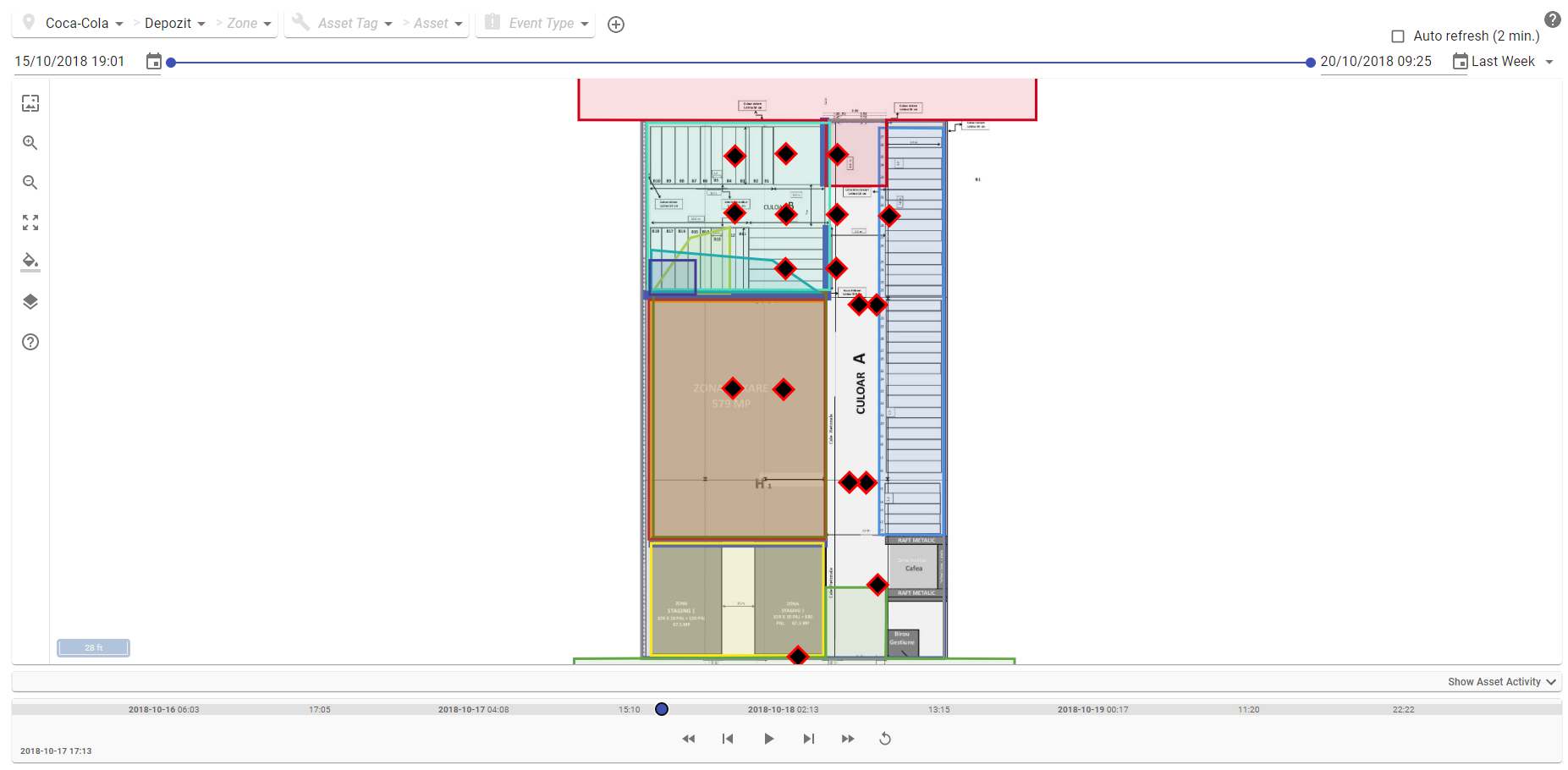
You can play/pause, step back and forward, and increase or decrease the speed of events. You also control what interval of data to see with the dates and date slider on top of your view and can filter what warehouse, zone, type of assets, assets, or type of event to focus on.

To further be able to identify events you can expand the assent event activity viewer where you have information about activity periods of each of the assets and information about events identified by our analysis. The number of these visible events is limited, so, you may have to play with your date interval to be able to find what you are looking for.